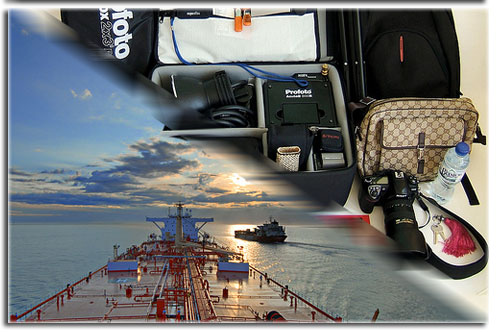
Note: This is not our gear or our ship. <-click for photographer details.
This is an article that was originally posted in July, but with the holiday season coming up I figured it was a good time to re-post.
Working “day jobs” aboard ship gCaptain’s crew has three separate offices; home, work and mobile. As chief blogger I get to carry the most stuff so I wanted to show you what it takes to blog when I’m away from gCaptain HQ. Here’s the gear I use at home and thousands of miles from the nearest shore:
While gCaptain has a very nice office in downtown San Luis Obispo, maritime news breaks at all hours of the day and night. So while I’m at home my office consists of a Mac Pro connected to both my 23inch Cinema Display and my 42″ Plasma Television.
 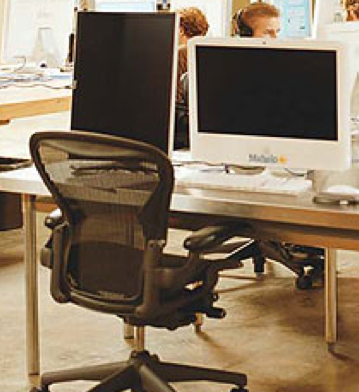 Since I don’t work and watch TV at the same time the setup works well. I use it with a Logitech Sidewinder mouse and an ultra sleek Apple Slim Keyboard. The Mac Pro is probably overkill but it was inherited from a failed start-up and I had no takers on Craigslist. I also have an inexpensive dell monitor I rotate 90degrees for dual monitor goodness (a trick I learned from Jason Calcanis at Mahalo –image-).
While traveling to destinations around the world my setup is a black macbook (however, due to an unfortunate incident involving wine it is now the new macbook) and my iPhone. I tend towards lengthy email replies when using the Macbook so I much prefer the iPhone to make them short and quick.
On the ship my primary computer is a windows box which I need for my day job. Because of restricted permissions I rely heavily on a Portable Application Suite I launch from my waterproof USB drive and VNC to access my office computer. Outside my office the environment is unfriendly to electronics. 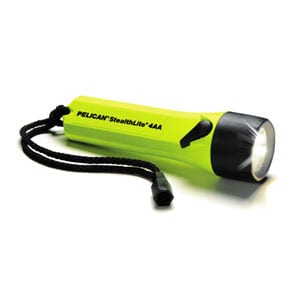 I rely on my Pelican Flashlight at night, Rite in the Rain notepad and Fisher Space Pen. If I need a camera I put my Waterproof Xacti Digital Camcorder in a Micro Pelican Case. If I am outside on the ship’s deck for extended periods of time I catch up on the days news with a custom RSS reader; printed paper. To keep from killing too many trees I use a duplex enabled printer set at 2-pages per side.
I work a schedule of 3 weeks at work and 3 weeks home so I get 6 months vacation per year. To facilitate this each position on the ship is filled by two people, the person on and the person off. This is nice because while at home my relief answers all emails, phone calls, ect., leaving me 100% disconnected from work. But regardless of where in the world my ship is located on the globe I must fly to it every 3 weeks. Staying connected on the road is important. To accomplish this I have set-up a custom SSH tunnel solution that I use with Apple Remote Desktop to connect back to my office network. I also have setup automatic back-ups with the Amazon S3 based app JungleDisk and use Transmit to retrieve my files. Storage is important while traveling so I cloned my MacBook‚ hard drive using SuperDuper and replaced it with a 250gb laptop hard drive.
Favorite Mac Apps:
Teleport (keyboard/mouse Sharing)
Transmit (FTP/S3)
Time Machine
AppZapper (for trying out new apps)
AppFresh (App Updater)
Things (GTD Inbox)
Jumpcut (simple clipboard app)
Mind Manager
Remote Access Apps:
VNC
Skype
SlingPlayer
Apple Remote Desktop
TrueCrypt (data encryption)
JungleDisk (dirt cheap back-ups)
Online Apps:
Pownce (username: Capt)
Dyndns.org (domain names for your home router)
OpenDNS
Hardware:
Black Macbook
iPhone
Pelican Cases and Pelican Flashlights
Mac Pro
23inch; Cinema Display
Waterproof Xacti Digital Camcorder
That’s it in a nutshell. Check out our gCaptain Gear Guide for more goodies or visit our Amazon Store which contains only those products used by us and our readers. -Captain John Konrad
Updated: April 17, 2023 (Originally published November 6, 2008)
Editorial Standards · Corrections · About gCaptain

 Join The Club